Sign in to your account to download products and manage your subscription.

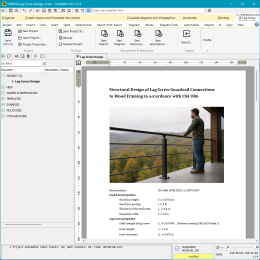
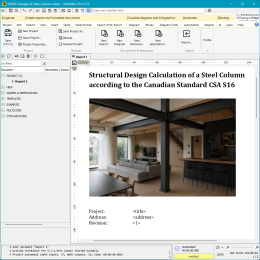
This engineering report is a structured template for the automated design of steel beams according to Canadian building codes (OBC 2012 and CSA S16). A key feature is the combination of analytical formulas, parametric definition, and script-based Finite Element Analysis (FEA). It is ready for use “as is“ or as a component of a larger project.
This digital product is an interactive engineering report template developed for structural engineers, designers, and architectural firms working with North American standards, as well as for educators and students of Steel Structural Design.
The report combines regulatory calculations with parametric definition and script-based Finite Element Analysis. Consequently, it functions not only as a final summary document but also as a full-fledged computational model for repetitive automated engineering checks.
At the beginning of the report, you define the initial assumptions, global constants, and conservative parameters used in the calculations:
This section forms a unified database upon which the entire subsequent calculation is based.
Next, the report contains a parametric description of the beam itself: span length, tributary width, section type, and geometric properties. Section parameters are imported into the calculation via a convenient Selector object containing the Canadian CISC shape database — simply select the required profile from the list, and the program automatically retrieves the necessary characteristics.
All data is entered as variables, allowing you to quickly adapt the calculation to a different object. The geometric and inertial properties of the section are used in both the code-based formulas and the Finite Element Analysis.
The beam load-bearing capacity calculation is performed based on explicit CSA S16 standard formulas. The report transparently demonstrates the determination of shear and bending resistance using TechEditor's mathematical capabilities (matrix operations, linear interpolation, etc.). This approach allows you to clearly trace the origin of every numerical value and avoid the "black box" effect typical of many commercial CAE packages.
The finite element model of the beam is defined by script commands. The beam is modeled as a two-dimensional bar element consisting of several segments, with specified boundary conditions at supports and uniformly distributed loads. This format ensures tight integration between the input parametric data and the built-in TechEditor FEM engine. This almost completely automates the calculation process and makes it easy to switch from a classic simply supported beam to a cantilever, continuous system, truss, or frame.
After performing the calculation, the extreme values are determined:
The obtained forces and deformations are compared with limit values, enabling an unambiguous verification of ULS (Ultimate Limit States) and SLS (Serviceability Limit States) conditions.
The final part of the report summarizes the results into dimensionless criteria in the form of demand/capacity ratios and deflection ratios. Based on this, a clear engineering conclusion is formed regarding the beam's compliance with strength and stiffness requirements. Ultimately, the report is not just a static document but a universal tool that simultaneously serves as a regulatory calculation, a numerical model, and a foundation for further digital automation of design solutions.
Important: You can adapt the document to your specific needs — edit formulas, add schemes, or change units of measurement. TechEditor automatically handles unit conversion and dimension control, correctly calculating expressions with mixed units.
Log in / Sign in to download this product. Subscribers of all plans have access.
08.01.2026 ver. 1
- first release;
- tested in TechEditor 5.5.4;

We develop digital solutions for engineering companies and design businesses. We advise, research, and help with the automation of calculations, design, and systematization of technical documentation.
innot needed textfoanother not needed text@dystlabdummy text.com